Order Aggregation: How to Turn Scattered Multi-Channel Orders Into One Efficient Delivery Run
Orders no longer arrive through one system. They come from: Ecommerce websites Marketplaces Mobile applications Physical stores Call centers Social commerce channels B2B portals…
Orders no longer arrive through one system.
They come from:
- E-commerce websites
- Marketplaces
- Mobile applications
- Physical stores
- Call centers
- Social commerce channels
- B2B portals
- Pharmacy ordering systems
Each channel may use different order IDs, status codes, address formats, delivery promises, and integration methods. If these orders remain separated, the delivery operation becomes fragmented.
Order aggregation creates one operational view. It collects orders from every channel, standardizes the data, and sends the combined order pool into fulfillment, dispatch, route optimization, and delivery tracking.
The result is one orchestrated delivery flow instead of several disconnected processes.
What Order Aggregation Means
Order aggregation is the process of collecting orders from multiple sources and placing them into one centralized logistics workflow.
The aggregation layer should:
- Receive orders through APIs, webhooks, files, or direct integrations.
- Validate order information.
- Normalize addresses, SKUs, customer details, and delivery windows.
- Remove duplicate or invalid records.
- Apply priority and service-level rules.
- Send ready orders to fulfillment and dispatch.
- Return status, tracking, and proof-of-delivery data to the original channel.
This is different from simply displaying orders in one dashboard.
A useful aggregation process connects the order pool to execution. The system must know when an order is ready, which vehicle can carry it, which driver is available, and whether the promised delivery time is still achievable.
That is where order aggregation connects with route optimization and automated dispatch.
Multi-Channel Fragmentation Creates Direct Costs
Fragmented orders create operational work at every stage.
A dispatcher may need to check several dashboards. A warehouse team may print separate picklists for each channel. Drivers may receive routes through different systems. Customer service teams may not see the same delivery status as the marketplace or e-commerce team.
This creates predictable problems:
- Duplicate data entry
- Repeated order handling
- Separate picking and loading cycles
- Poor vehicle utilization
- Unnecessary delivery miles
- Split shipments
- Missed cut-off times
- Inconsistent customer ETAs
- Manual status reconciliation
- Delayed exception handling
The cost is not limited to software administration. Fragmentation increases cost per drop.
For example, a retailer may receive five orders for the same district:
- Two from its own website
- One from a marketplace
- One from a mobile application
- One from a physical store
If each channel creates an independent dispatch request, the operation may assign several vehicles or separate delivery runs. If those orders are aggregated, they can potentially be placed on one route, subject to capacity, time windows, product requirements, and customer promises.
The operational objective is simple:
Process every eligible order once and include it in the most efficient feasible delivery plan.

Aggregation Feeds Automated Dispatch
Order aggregation becomes valuable when it feeds automated dispatch.
A unified logistics platform can evaluate the full order pool against operational constraints, including:
- Delivery address
- Geographic zone
- Order readiness
- Vehicle capacity
- Driver availability
- Product type
- Temperature requirements
- Customer time window
- Delivery priority
- Cut-off time
- Service-level agreement
- Route density
- Traffic conditions
The system can then assign orders to the right delivery run.
This removes the need for dispatchers to manually compare several channel queues. The dispatcher manages exceptions instead of copying orders between systems.
Fleetroot’s connected logistics features combine order flows with route planning, driver assignment, live tracking, proof of delivery, and reporting. The objective is one operational sequence:
Order received → Order validated → Order batched → Route optimized → Driver dispatched → Delivery tracked → Proof captured
Use Batching and Consolidation Logic
Aggregation does not mean placing every order into one large batch.
The system needs rules. Poor batching can create late deliveries, overloaded vehicles, and unnecessary route complexity.
Useful batching rules include:
Geographic proximity
Group orders within a practical delivery area. A zone may be defined by:
- Postal code
- Service territory
- Delivery radius
- City district
- Geofence
- Warehouse coverage area
Delivery windows
Do not combine orders with incompatible promises.
An order promised between 9:00 and 10:00 should not be placed behind an order scheduled for the afternoon unless the route can satisfy both windows.
Order readiness
Only aggregate orders that are ready for dispatch. Keep delayed, incomplete, or unconfirmed orders out of the active route pool.
Vehicle capacity
Consider:
- Weight
- Volume
- Number of parcels
- Vehicle type
- Available driver capacity
- Loading sequence
Product restrictions
Pharma and healthcare orders may require:
- Temperature-controlled vehicles
- Priority handling
- Chain-of-custody records
- OTP handover
- Restricted delivery windows
These rules must remain active during aggregation and route planning.
Delivery priority
Use priority classes for:
- Same-day orders
- Prescription deliveries
- Perishable items
- VIP customers
- SLA-sensitive marketplace orders
- Emergency replenishment
The output should be a set of feasible delivery runs. The shortest route is not always the best route. The correct route is the one that balances distance, capacity, service levels, and operational risk.
Set Cut-Off Times Before Dispatch
Cut-off times control the movement from order intake to delivery planning.
Define cut-offs by channel and service type. For example:
- Same-day e-commerce orders close at 1:00 p.m.
- Marketplace orders close at 2:00 p.m.
- Pharmacy priority orders remain open for immediate dispatch.
- Scheduled retail orders join the next planned route wave.
The system should mark orders according to their status:
- Received
- Validated
- Awaiting fulfillment
- Ready for dispatch
- Assigned
- Out for delivery
- Delivered
- Exception
This prevents unready orders from entering a route. It also gives operations teams a clear view of which orders are at risk.
When a cut-off is approaching, automated alerts can identify:
- Orders without inventory confirmation
- Orders missing an address
- Orders without payment approval
- Orders not packed
- Orders without an assigned route
- Orders likely to miss the promised window
The earlier the system identifies the problem, the more options remain.
Protect Customer Promises and ETAs
Order aggregation must not hide channel-specific customer promises.
Each order should retain its original:
- Promised delivery date
- Delivery window
- Service level
- Customer contact details
- Channel reference
- Special instructions
The aggregation layer standardizes the data for operations. It should not remove important commercial context.
Once a route is created, the system can calculate delivery ETAs based on:
- Current vehicle location
- Stop sequence
- Traffic
- Service time at each stop
- Remaining route capacity
- Delivery window constraints
These ETAs should flow back to the relevant channel. Customers should receive consistent updates whether they ordered through a website, marketplace, app, or call center.
Fleetroot supports live tracking, ETA updates, customer communication, and digital proof of delivery. This connects the operational route with the customer-facing experience.

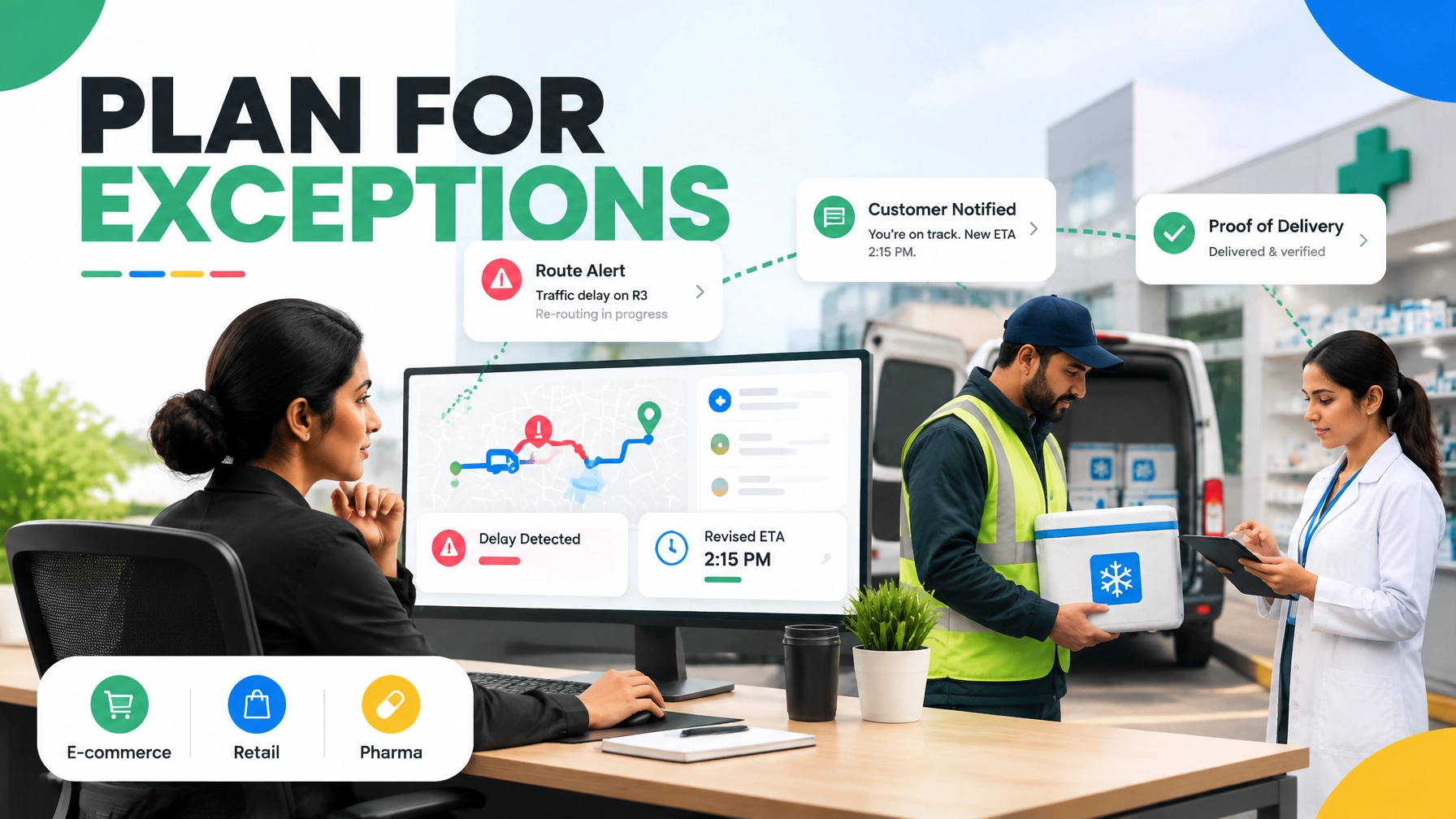
Manage Exceptions as Part of the Design
A delivery flow is not complete if it handles only successful orders.
Common exceptions include:
- Duplicate order received through a retry
- Invalid address
- Item unavailable
- Order not ready at the warehouse
- Vehicle capacity exceeded
- Driver absence
- Traffic disruption
- Customer rescheduling
- Failed delivery attempt
- Temperature excursion
- Marketplace dispatch deadline at risk
The system should classify exceptions and trigger the correct action.
Examples:
- Reassign an order to another route.
- Move a delayed order to the next dispatch wave.
- Notify the customer of a revised ETA.
- Escalate a priority pharmacy order.
- Remove a vehicle with a temperature alert from dispatch.
- Send an address correction request to customer service.
- Record a failed delivery reason for reporting.
Do not force every exception through the same workflow. Use different rules for retail parcels, e-commerce orders, and pharma deliveries.

Implement Order Aggregation in Five Steps
1. Map every order source
List all current channels, systems, and handoffs.
Include:
- Website
- Marketplaces
- Mobile applications
- POS systems
- Call center software
- ERP
- WMS
- Pharmacy systems
- Existing carrier platforms
Document the data format and update method for each source.
2. Define a common order schema
Create standard fields for:
- Order ID
- Channel
- Customer
- Address
- SKU
- Quantity
- Weight
- Delivery window
- Priority
- Payment status
- Fulfillment status
- Special handling requirements
Use consistent status values across every source.
3. Connect the systems
Use APIs and webhooks where available. This is part of the wider logistics API economy.
The integration should support:
- Order creation
- Order updates
- Cancellation
- Inventory or readiness status
- Driver assignment
- Tracking events
- Proof of delivery
- Delivery completion
Build idempotency into the integration. A retry should not create a duplicate order.
4. Configure batching and dispatch rules
Start with practical rules.
Set:
- Geographic zones
- Vehicle capacities
- Cut-off times
- Delivery windows
- Product restrictions
- Priority levels
- Route wave schedules
- Exception thresholds
Keep a human review step during the initial rollout.
5. Measure the result
Track performance before and after aggregation.
Useful metrics include:
- Cost per drop
- Drops per route
- Vehicle utilization
- Route kilometers
- On-time delivery rate
- Failed delivery rate
- Dispatch cycle time
- Split shipment rate
- Manual touches per order
- ETA accuracy
- Exception resolution time
Review the metrics by channel. One marketplace may create more late orders than another. One store may require a different cut-off. Use the data to refine the rules.
Build One Operational Flow
Order aggregation is not only an e-commerce fulfillment function. It is an execution layer for multi-channel logistics.
It gives 3PLs one way to manage multiple merchants. It gives retailers one delivery view across stores and digital channels. It gives pharma operators a controlled workflow for priority and temperature-sensitive orders.
The practical model is straightforward:
- Connect every order source.
- Normalize the data.
- Validate and deduplicate orders.
- Apply service and handling rules.
- Batch compatible orders.
- Optimize routes.
- Dispatch automatically.
- Track performance and exceptions.
- Return delivery updates to every channel.
A unified logistics orchestration platform makes this flow operational. It connects order aggregation, route planning, dispatch, tracking, and proof of delivery without requiring teams to manage separate queues.
Request a Fleetroot demo to review the workflow for your channels, warehouses, and delivery network.
Frequently Asked Questions
What is order aggregation in logistics?
Order aggregation is the process of collecting orders from multiple channels and placing them into one centralized workflow for validation, batching, dispatch, tracking, and delivery completion.
How is order aggregation different from order management?
Order management handles the broader order lifecycle, including inventory, payment, fulfillment, and returns. Order aggregation focuses on collecting and standardizing orders from different sources so they can be operationally processed together.
Can order aggregation reduce delivery costs?
Yes. Aggregating compatible orders can reduce duplicate handling, unnecessary vehicle trips, route kilometers, and cost per drop. The final result depends on capacity, delivery windows, geography, and service requirements.
Does order aggregation support 3PL operations?
Yes. A 3PL can aggregate orders from multiple merchants, marketplaces, and enterprise systems. Orders can then be separated by client, service level, warehouse, vehicle, or billing rule while remaining visible in one control tower.
How does aggregation support pharma retail?
Pharma operations can apply priority, temperature, chain-of-custody, and time-window rules during batching and dispatch. Orders with special requirements should only be assigned to compliant vehicles and drivers.
What integrations are required?
Typical integrations include e-commerce platforms, marketplaces, ERP systems, WMS platforms, POS systems, carrier systems, and driver applications. REST APIs and webhooks support real-time order and delivery updates.
What should be implemented first?
Start with one or two order channels. Standardize the order schema. Connect the sources to a unified dispatch workflow. Then add batching, route optimization, exception handling, and additional channels in stages.
See this in action on your own fleet.
14-day free trial. No credit card. Unlimited riders.